




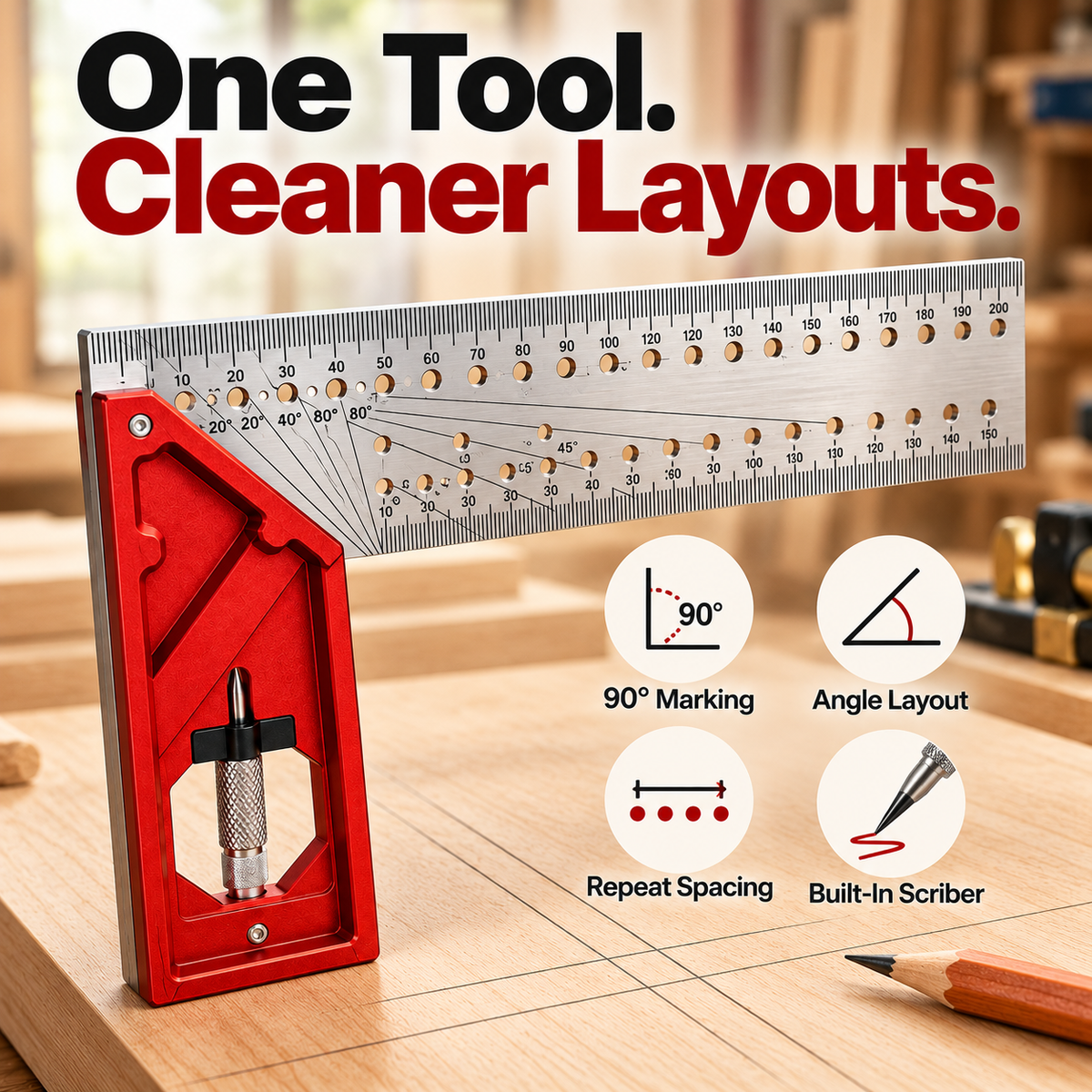
🛠️📐Precision Woodworking Layout Square – Multi-Function Angle & Marking Tool
🛠️📐Precision Woodworking Layout Square – Multi-Function Angle & Marking Tool

BUNDLE & SAVE
Couldn't load pickup availability

🛠️📐Precision Woodworking Layout Square – Multi-Function Angle & Marking Tool
Spend Less Time Setting Up. More Time Building.
Square an edge, lay out common angles, measure spacing and guide repeat marks with one compact woodworking tool.

Layout Shouldn't Slow The Whole Project Down.
Reaching for one ruler to measure, another square to check an edge, and another guide to repeat a line adds friction before the real work even starts.
This layout square brings the everyday marking steps together so your setup feels cleaner and easier to follow.
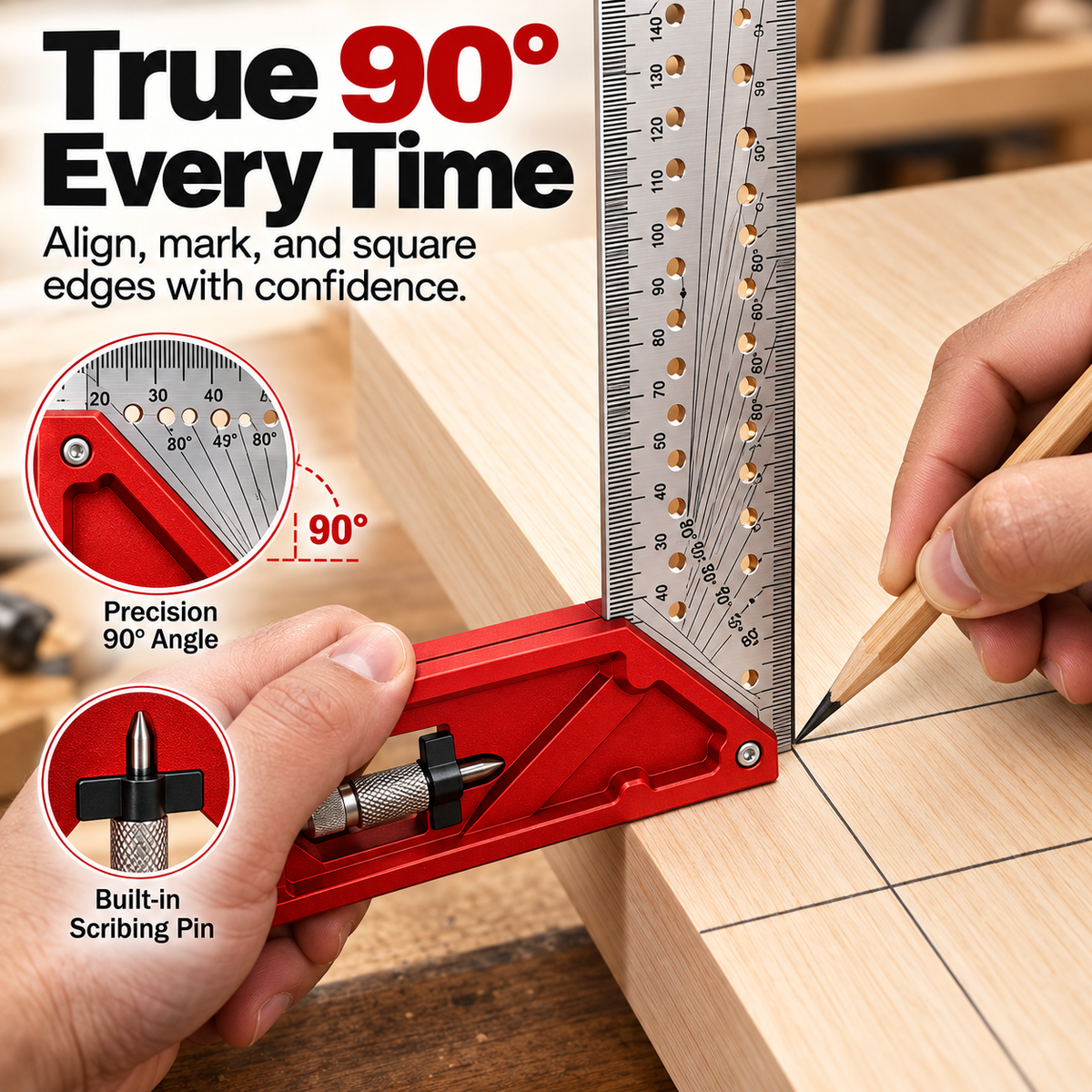
Get Your 90° Reference Without The Extra Fumbling.
Seat the square against the edge of your workpiece and use the perpendicular ruler face as a clear reference for layout and marking.

Common Layout Angles, Right Where You Need Them.
Built-in angle references make it easier to establish common woodworking layouts without stopping to search for another guide.
Useful when your project calls for a common angled layout.
A familiar angle for trim, corners and everyday woodworking.
Another useful guide built into the same layout workflow.
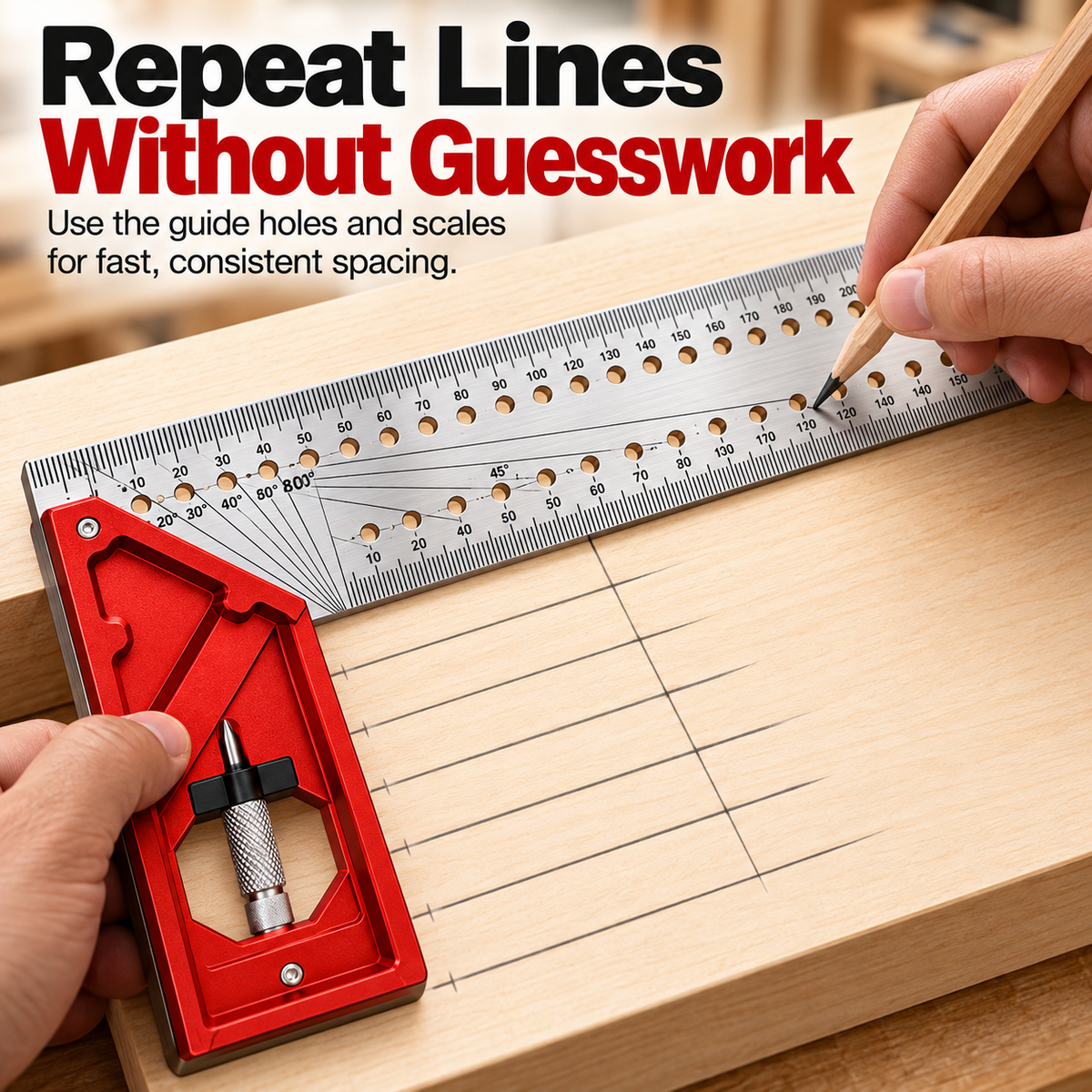
Repeat Lines Without Measuring From Scratch Every Time.
The ruler includes a series of guide holes that can help you follow repeat positions across a workpiece.
That means less stopping, repositioning and second-guessing when a project needs multiple parallel layout marks.
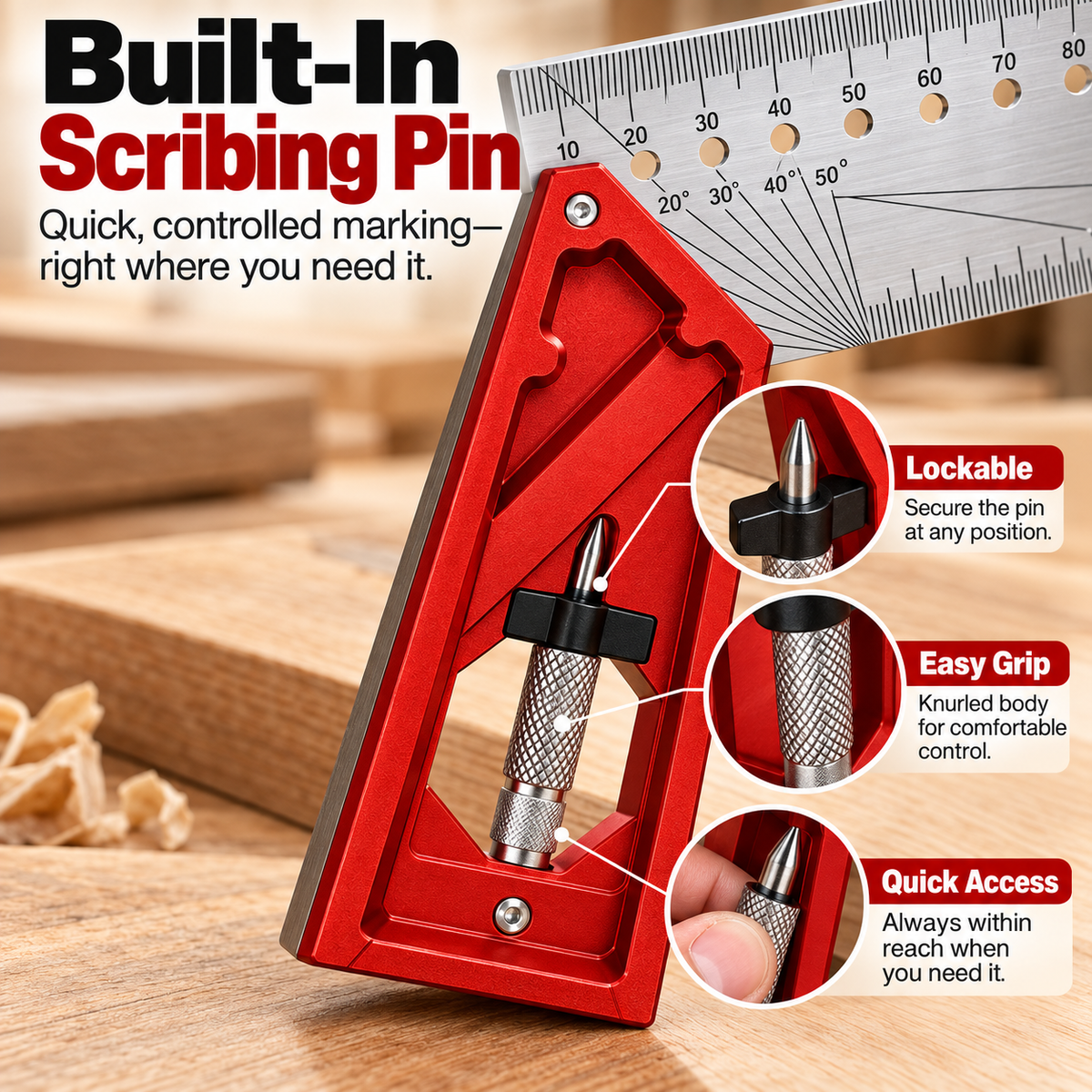
Your Scriber Stays With The Tool.
A compact scribing pin stores directly in the square, keeping a marking point close at hand when you want a more defined scratch line.
The holder helps keep the scriber secured in its storage position.
A knurled section gives your fingers a more controlled hold.
Stored with the layout tool instead of disappearing elsewhere on the bench.
Place. Reference. Mark. Move On.
Use the square body as your starting reference on the workpiece.
Work from the measurement scale, angle guide or repeat-position holes.
Use a pencil or the included scribing point depending on the job.

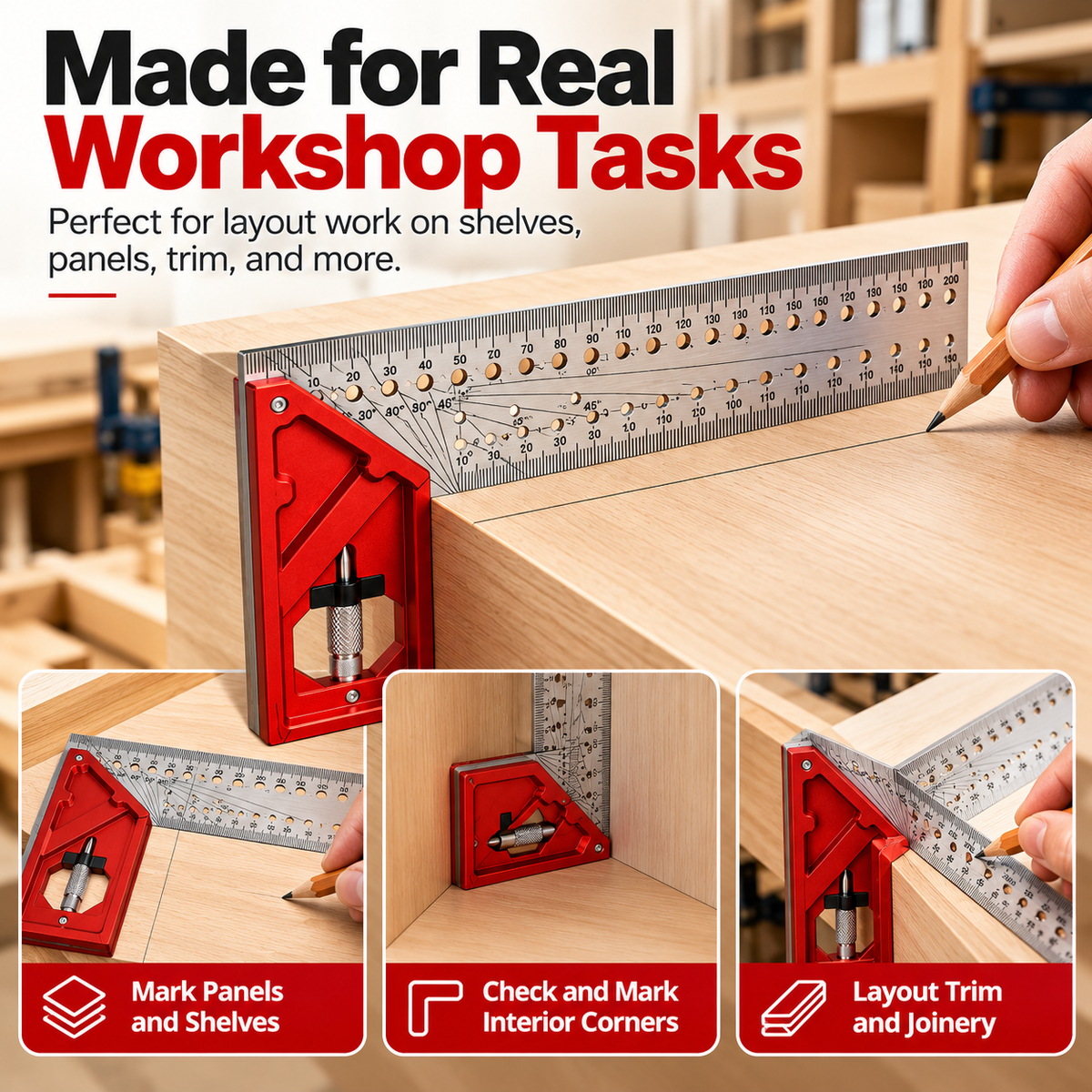
Useful Anywhere Clean Layout Comes First.
Keep it near the bench for everyday measuring and marking across common woodworking and DIY projects.
One Compact Tool. A Cleaner Layout Workflow.
The value isn't simply having more markings on a ruler. It's having the references you repeatedly reach for gathered into one tool that's easy to keep on the bench.
Built Around The Layout Tasks You Actually Repeat.
Establish perpendicular layout lines from the edge of a board without reaching for a separate square.
Use the graduated ruler face for everyday measurement and positioning.
Common-angle references give you another way to build layout directly from the same tool.
Guide holes support consistent repeated positions across a workpiece.
Keep a compact marking point stored with the tool for quick workshop access.
Multiple layout functions stay together in a form that's easy to keep within reach on the bench.
The Details That Matter At The Bench.
Before It Earns A Spot On Your Workbench.
Is this only a 90° square?
No. The tool combines a square reference with measurement markings, common-angle layout guides, repeat-position holes and a compact scribing point.
Can I use a normal pencil with it?
Yes. A pencil can be used for normal layout work, while the integrated scribing point gives you another marking option when appropriate for the material.
What are the holes along the ruler for?
They can act as layout guides for repeated positions, helping you follow consistent spacing instead of re-establishing every mark from the beginning.
What projects is it suited for?
It's designed around general woodworking layout such as panels, shelves, trim, cabinetry, corners and DIY workshop projects.
Does it replace every measuring tool in a workshop?
No. Specialized jobs can still require dedicated measuring or angle tools. Its advantage is combining several frequently used layout references into one compact everyday tool.
Cleaner Marks. Fewer Tool Swaps. A Smoother Start To Every Project.
Keep your most-used layout references together and spend less of the project hunting for the next measuring tool.
Add A Smarter Layout Tool To Your Bench


